SimAudioFixer
A downloadable tool for Windows
SimAudioFixer

The definitive solution for audio device renumbering issues in iRacing and SimHub




Problem It Solves
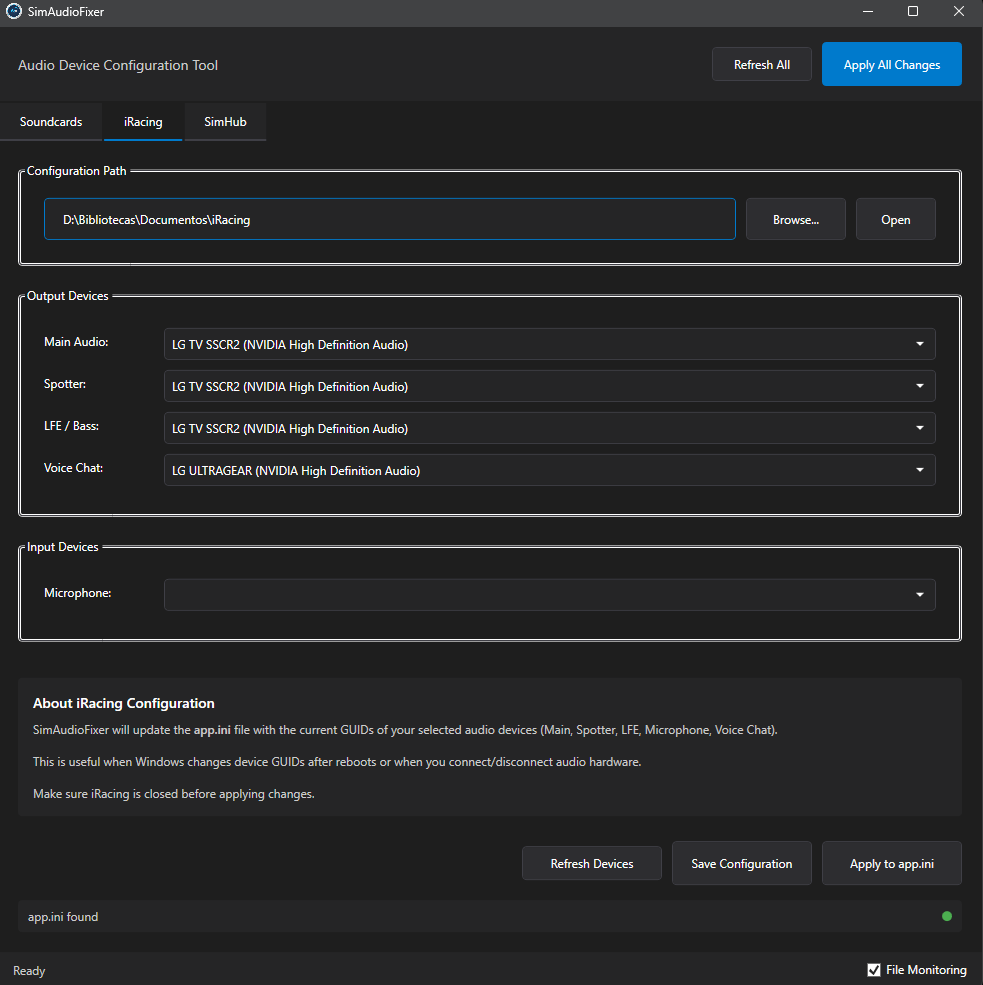
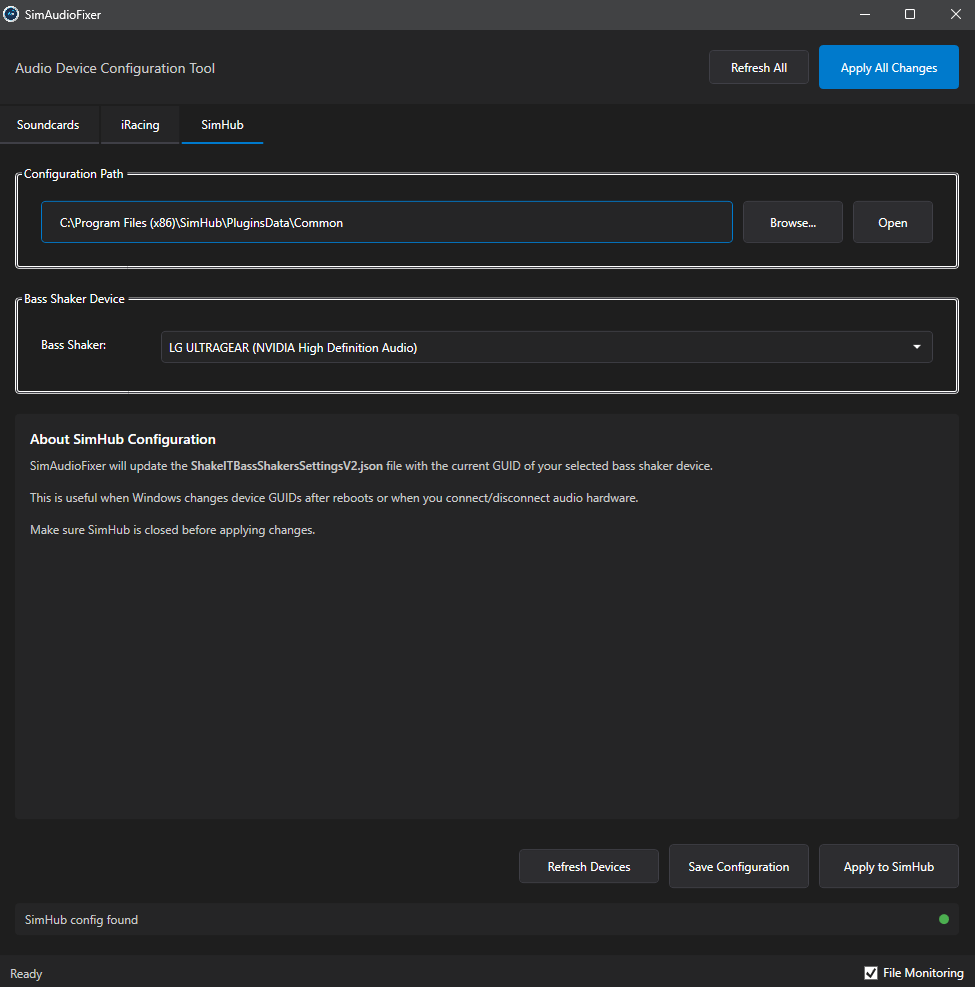
Tired of iRacing and SimHub losing your audio settings every time Windows renumbers your devices? SimAudioFixer creates a stable fingerprint for each device and automatically updates configurations when GUIDs change.
Features
- Smart Detection: Identifies devices by hardware ID (VID/PID), not by temporary GUID
- Automatic Updates: Patches iRacing and SimHub configuration files
- Active Monitoring: Detects external file changes
- Notifications: Alerts you when reapplying is needed
- Dark Mode: Eye-friendly UI for night racing
- Auto Start: Runs silently with Windows (no UAC prompts)
- Automatic Backup: Restores configs if something goes wrong
Installation
Using the Installer (Recommended)
- Download SimAudioFixer-Setup.msi from GitHub Releases
- Run the installer as administrator
- Launch from Start Menu or Desktop
- Enable "Run at Windows startup" from tray menu
Silent Mode
SimAudioFixer.exe init
Supported Games
- iRacing (app.ini audio device remapping)
- SimHub (ShakeIT Bass Shaker output remapping)
Why This Exists
Windows randomly renumbers audio devices when drivers, USB ports or updates change. This breaks sim racing setups with multiple sound cards. SimAudioFixer makes device IDs stable forever.
For Sim Racers, By a Sim Racer
Built with ❤️ for the simracing community to finally stop reconfiguring sound cards after every reboot.

Made with ❤️ for the simracers community
Download
Click download now to get access to the following files:

Leave a comment
Log in with itch.io to leave a comment.